Clever: Brain Training Games
- 4.3
- Rating
- 1.00M
- Installs
- Free
- Price

 Analysis by App-foxy
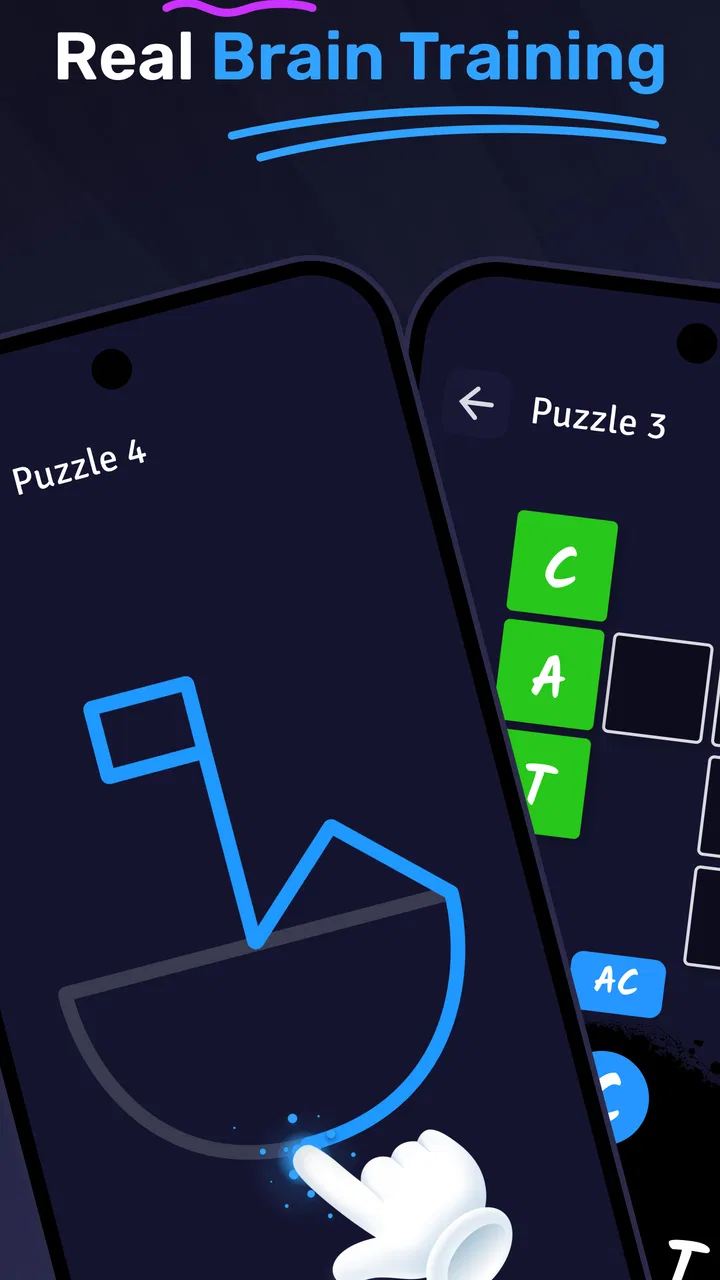
I tend to be cautious with brain-training apps because many of them feel entertaining for a few minutes but become repetitive once the novelty fades. Clever: Brain Games & IQ Tests takes a more practical route: it gives me short mental exercises aimed at attention, concentration, memory, and general problem-solving. That makes it easier to fit into a normal day than a long lesson or a serious study session.
Developed by DPM Apps, this free education app is designed for people who want a small daily mental workout rather than a full academic course. I found its strongest appeal in the quick, low-commitment format. You can open it when you have a spare moment, complete an exercise, and leave without needing to prepare anything. The experience is simple enough for casual users, yet it still gives you reasons to return if you enjoy tracking your own progress and trying to improve your results.
How Clever feels in everyday use
I find that Clever fits best into small gaps in the day, when I can give a challenge my attention rather than treating it as background entertainment. That makes timing and interruptions part of the experience: I get more from a brief, deliberate session than from tapping through while distracted. It is also worth deciding in advance whether I want a quick mental reset or a longer puzzle session, since those call for different kinds of apps.
You May Also Like

 Blood Strike: 2.5 Anniversary
Blood Strike’s Loadouts Turn Every Drop Into a Tactical Gamble
A close look at Blood Strike’s custom loadouts: how fast access to signature weapons reshapes its battle royale rhythm, rewards preparation, and narrows the gap between fights.

 Pandora - Music & Podcasts
Pandora’s Music Is Easy to Start, but Harder to Recover
Pandora’s strength is its low-effort path from a seed to a station. Its weak spot is how much confidence it asks you to place in connection, setup, and quiet recovery.

 8 Ball Pool
 Is Built on Rivalries, Rematches, and Routine
A close look at the rivalries, rematches, shared routines, and unanswered safety questions that turn a quick pool match into a persistent mobile community.

 Samsung Music
’s Quiet Strength Is Playing What You Already Own
Its reach comes less from spectacle than from dependable access to a personal library. That simplicity is both the app’s strongest retention engine and its ceiling.

 AccuWeather: Weather Radar
AccuWeather Review: A Quick, Clear Forecast for Everyday Decisions
For everyday plans, the best forecast is the one you can understand quickly. AccuWeather makes rain timing, radar, and local conditions easy to act on, with a few trade-offs.

 Hill Climb Racing
Why Hill Climb Racing Still Turns Crashes Into One More Run
A tiny car, a bumpy hill and one more upgrade: Hill Climb Racing keeps resurfacing because its simple chaos makes every near-miss feel personal.
More From Our News Desk



Quick sessions are the main advantage
The first thing I noticed is that the app is built around short bursts of activity. That matters because concentration practice is easier to maintain when it does not demand a large block of free time. I could imagine using it while waiting for an appointment, during a quiet coffee break, or at the end of the day when I wanted something more active than scrolling through social media.
Its store summary focuses on daily brain training and cognitive exercises, but the useful distinction is how approachable that idea feels in practice. You do not need specialist knowledge, a notebook, or a fixed study plan. The app presents the mental task directly, so the barrier between opening it and starting an exercise is low.
That simplicity also makes it suitable for users who are not naturally drawn to traditional puzzles. Someone may not want to solve a large crossword or learn a complicated strategy game, but may still enjoy a short challenge that tests focus. I see it as a light routine builder rather than a replacement for formal learning, therapy, or a structured IQ assessment.
Speed expectations and the feel of a session
For this type of app, perceived speed is less about demanding graphics and more about how quickly I can move from one task to the next. Clever has a straightforward educational purpose, so I expect it to feel most comfortable on devices that are reasonably current and running a supported operating system. The minimum requirement is Android 9, which gives potential users a useful compatibility check before installing.
Because the exercises are compact, the app does not need to feel like a large game to be worthwhile. The best experience comes when I treat each challenge as a focused interval instead of rushing through a long sequence. If I am tired or distracted, I may perform poorly even when the task itself is simple. That is not necessarily a weakness in the app; it is part of what makes attention-based exercises useful as a self-check.
One practical tip is to use it at roughly the same point in your day. A morning session can work as a mental warm-up, while an evening session can be a calmer alternative to passive screen time. Keeping the timing consistent also helps separate genuine improvement from the random effects of being unusually alert or unusually exhausted.
What happens during heavier use
Short exercises are easy to start, but repeated sessions can change the way the app feels. If I keep playing for an extended period, the challenge can become less about fresh concentration and more about maintaining patience. That is where I would recommend taking breaks rather than forcing a long run. Brain-training apps work better for me when they support consistency without turning the routine into another obligation.
Heavy use can also expose a trade-off common to this category: familiarity may improve performance on the style of task without automatically improving every aspect of everyday thinking. I would not treat a rising score as proof that my memory, attention, or intelligence has broadly transformed. I see the results as feedback about how I handled the app’s exercises under particular conditions.
A useful workflow is to stop after a small number of challenges, note how focused you felt, and return later instead of chasing a perfect result. This prevents the app from becoming a test of endurance. It also makes the experience more sustainable for people who are using it as a daily habit rather than a one-time curiosity.
Stability and recovery after interruptions
Reliability matters even in a lightweight app. A brain exercise loses some of its value if an interruption makes me lose my place or forces me to repeat an entire routine. In normal use, I would approach Clever as a compact tool that should be opened when I have enough uninterrupted attention to finish a task. That expectation is more realistic than treating it like a background activity that can be constantly paused and resumed.
Phone calls, notifications, low battery, and switching between apps can all affect concentration even when the software itself is working properly. My advice is to begin a challenge when you are unlikely to be interrupted. If the app is closed unexpectedly, reopening it and continuing calmly is preferable to immediately repeating the same task while frustrated. Recovery is part of the user experience here because the goal is focused thinking, not merely tapping through screens.
I also prefer to keep the app updated when a newer version is available. The current version is 1.43.5, and using the current release is generally the sensible choice for compatibility and maintenance. That does not guarantee a perfect experience on every phone, but it reduces the chance that an avoidable software mismatch will get in the way of a short session.
Device limits and resource expectations
Clever is not the kind of app I would choose to showcase a phone’s graphics hardware. Its value comes from the exercises, not from visual spectacle. That should make it a reasonable candidate for users who want an education app without committing to a large, elaborate game. Still, the age and condition of a device can affect loading, touch response, and general comfort, especially when several other apps are running at the same time.
On an older phone, I would close unnecessary background apps before starting a concentrated session. This is less about the brain exercises being demanding and more about giving the device the best chance of responding consistently. A crowded phone can make any interactive app feel sluggish, and even a small delay is distracting when a task depends on timing or quick decisions.
Screen size is another consideration. A larger display may make instructions and visual challenges easier to read, while a very small screen can encourage accidental taps or make details feel cramped. Users with vision or motor difficulties should judge the interface personally rather than assuming that a simple design automatically means effortless accessibility.
The age rating is Everyone, which fits the app’s general educational positioning. Parents may still want to decide how brain-training apps fit into a child’s overall screen routine. The label describes suitability, not a complete learning plan, and the exercises should be treated as optional practice rather than a substitute for schoolwork or professional guidance.
Free access and the cost question
The app is free to download, which makes it easy to try without making an immediate financial commitment. That is important in a crowded category where the difference between a useful routine and a forgettable novelty often becomes clear only after several sessions. I would install it, test the variety and pacing, and decide whether it deserves a regular place on my phone.
There are in-app purchases ranging from $0.99 to $39.99 per item. That broad range means I would pay attention before confirming any purchase, especially if I were handing the device to a child. The free entry point is appealing, but users should distinguish between enjoying the basic experience and deciding that optional paid content is worth the cost.
My own rule would be simple: use the free experience long enough to learn whether the routine actually fits your habits. Paying makes more sense only if you return consistently and understand what additional value you are receiving. If you open the app once every few weeks, a purchase is unlikely to change the larger problem, which is lack of regular use.
Who will benefit most from it
I think Clever is best for people who enjoy small, structured challenges and want a gentle prompt to practise concentration. It can suit students looking for a break from passive entertainment, adults who like puzzle-style activities, and anyone trying to build a short daily mental routine. It is also approachable for users who do not want a complicated interface or a long onboarding process.
One realistic scenario would be a commuter who has ten quiet minutes before work. Instead of opening several social feeds, they complete a few exercises, notice that their attention is scattered, and stop before the session becomes tiring. The next day, they repeat the routine at a similar time. The benefit is not a dramatic transformation; it is the creation of a small, repeatable moment that encourages deliberate focus.
Another useful scenario is using the app as a reset between tasks. After finishing a long period of reading or computer work, a short exercise can provide a different kind of mental activity. I would not use it as proof that I am ready for an important exam or demanding decision, but it can help me become aware of whether I am alert or simply clicking from habit.
Who should choose something else
Clever is not the right choice for someone seeking a complete language course, detailed academic instruction, or a professionally administered intelligence evaluation. Its exercises may support mental engagement, but they do not replace a teacher, a textbook, a clinical assessment, or a carefully designed study program.
I would also suggest looking elsewhere if you need deep explanations after every answer. Brain-training apps often focus on the task itself, while a learning platform may be better when your priority is understanding a subject step by step. Likewise, users who dislike repetition may prefer a broad puzzle game with a strong story or a hobby that develops a clearly defined skill.
People with concerns about memory, attention, or cognitive changes should not rely on personal scores inside an app to interpret their health. A professional assessment is more appropriate for that purpose. Clever can be enjoyable practice, but it should remain in the category of everyday mental exercise.
How it compares with familiar alternatives
Compared with crossword puzzles, Clever offers a more guided experience. A crossword gives me control over the pace and often rewards vocabulary, while this app is better suited to someone who wants the next challenge presented without choosing a puzzle from a newspaper or puzzle book. The trade-off is that a printed puzzle can feel more relaxing and less dependent on a phone.
Compared with educational platforms, the app is lighter and less curriculum-focused. A course app may teach a language, mathematics, or another subject through a planned sequence, whereas Clever is aimed at general cognitive practice. I would choose Clever for a short attention workout and a course platform when I want measurable progress in a specific academic area.
Compared with full mobile games, it is less likely to provide a rich narrative or a large world to explore. That is a limitation if entertainment is your main goal, but an advantage if you want to avoid getting pulled into a long gaming session. The experience is easier to fit into a routine precisely because it does not ask for the same kind of commitment as a conventional game.
Three ways to get more from the routine
- Separate focus from fatigue: use the app at a consistent time and note whether a weak result came from distraction, tiredness, or misunderstanding the task. This gives the scores more personal context.
- Stop before frustration takes over: a short session completed attentively is more useful than a long session where you are guessing just to finish. Breaks also make it easier to return the next day.
- Use it as a transition tool: place a session between passive screen time and a demanding activity, but do not treat it as proof that you are fully prepared for work, study, or an important test.
These habits also reveal the app’s main trade-off. Its accessibility makes it easy to use, but that same simplicity means the quality of the routine depends heavily on the user’s discipline. Clever can prompt me to practise, yet it cannot make me attentive if I am rushing, checking notifications, or playing only to chase a number.
My performance verdict
Clever: Brain Games & IQ Tests has a clear place as a convenient, low-pressure education app. Its free starting point, Everyone age rating, and support for Android 9 or later make it approachable for a broad audience. With an average rating of 4.4 from around 3.8 thousand ratings and more than a million installs, it has also attracted a substantial user base, although popularity alone is not a reason to assume it will suit every person.
What I like most is the balance between immediacy and routine. I can open it for a focused exercise without preparing a lesson, and I can stop before it takes over my day. The main limitations are equally clear: it is not a complete learning system, repeated use may feel less fresh, and optional purchases deserve careful attention because the individual prices span from $0.99 to $39.99.
My recommendation is to try it if you want short cognitive exercises and enjoy seeing whether your concentration changes from one session to the next. I would skip it if you need formal instruction, clinical insight, or a game with a deep story. For the right user, this is a sensible pocket routine: modest in scope, easy to revisit, and most effective when used consistently rather than aggressively.
After spending time with it, my conclusion is that Clever: Brain Games & IQ Tests works best when I keep my expectations realistic. It will not replace sleep, exercise, study, or professional advice, but it can give a spare few minutes a more purposeful shape. The strongest reason to install it is not a promise of instant intelligence; it is the chance to build a small, repeatable habit of paying attention.
FAQs for Clever: Brain Training Games
01What types of games are available on Clever: Brain Games & IQ Tests?
Clever: Brain Games & IQ Tests offers a variety of games designed to challenge different cognitive skills. Users can find puzzles that focus on memory, attention, logic, and problem-solving. These games are crafted to be both entertaining and educational, providing a balanced mix of fun and mental exercise to enhance brain function.
02Is Clever: Brain Games & IQ Tests suitable for all age groups?
Yes, Clever is designed to be accessible for a wide range of ages. While the games are typically suitable for teenagers and adults due to their complexity, there are also simpler games that younger users can enjoy. The app adjusts difficulty levels, making it a versatile choice for families wanting to engage in brain-training activities.
03Does Clever: Brain Games & IQ Tests require an internet connection?
Clever: Brain Games & IQ Tests can be used offline, allowing users to enjoy most of the games without an internet connection. However, certain features, such as updates, leaderboards, or community events, may require a connection. This makes it convenient for users to play anywhere, anytime, without worrying about connectivity.
04Are there in-app purchases in Clever: Brain Games & IQ Tests?
Yes, Clever offers in-app purchases. Users can access additional content, remove ads, or unlock premium features through these purchases. While the app provides a substantial amount of free content, these optional purchases enhance the experience by providing more variety and customization options for dedicated users.
05How does Clever: Brain Games & IQ Tests track progress?
Clever tracks user progress through detailed analytics and personalized reports. It records performance across various games, allowing users to see improvements over time. The app provides insights into strengths and areas needing improvement, making it a valuable tool for anyone looking to enhance their cognitive abilities systematically.
Pros
- Engaging puzzles enhance cognitive skills.
- Variety of games keeps it interesting.
- Sleek interface is easy to navigate.
- Regular updates with new challenges.
- Offline mode available for on-the-go play.
Cons
- Some games may feel repetitive.
- Ads can be intrusive at times.
- Requires in-app purchases for full access.
- Limited customization options for users.
- Occasional glitches in older devices.

Clever: Brain Training Games
Gallery